
The board wants AI, and they want it yesterday.
As IT leaders, we’re the ones left translating that boardroom enthusiasm into a deployable, secure reality. Microsoft 365 Copilot is the shiny new toy, but deploying it without a hardened environment is corporate malpractice. You aren’t just flipping a switch in the admin center. You are opening up your entire SharePoint and Teams data estate to a semantic search engine.
If your house isn’t in order, this tool will expose every crack in your foundation.
The E3 to E5 Migration Trap
Microsoft’s sales machinery is aggressively pushing the Copilot narrative.
They’ll tell you that to get the most out of generative AI, you need to step up from Office 365 E3 to Microsoft 365 E5. Don’t blindly sign that EA renewal. Copilot costs a hard $30 per user, per month. Adding an E5 step-up on top of that can easily add another $15 to $40 per head. For an enterprise of 5,000 employees, you are suddenly looking at a seven-figure line item before a single prompt is typed.
License optimization is your first line of defense.
Run a usage report in the M365 Admin Center. Target your power users—the financial analysts hammering Excel and the sales directors living in Teams. Give them the Copilot add-on first. Leave your frontline workers on F3 or standard E3 licenses until the ROI is mathematically proven.
Shadow Data Will Sink Your AI Strategy
AI doesn’t create data leaks; it automates them.
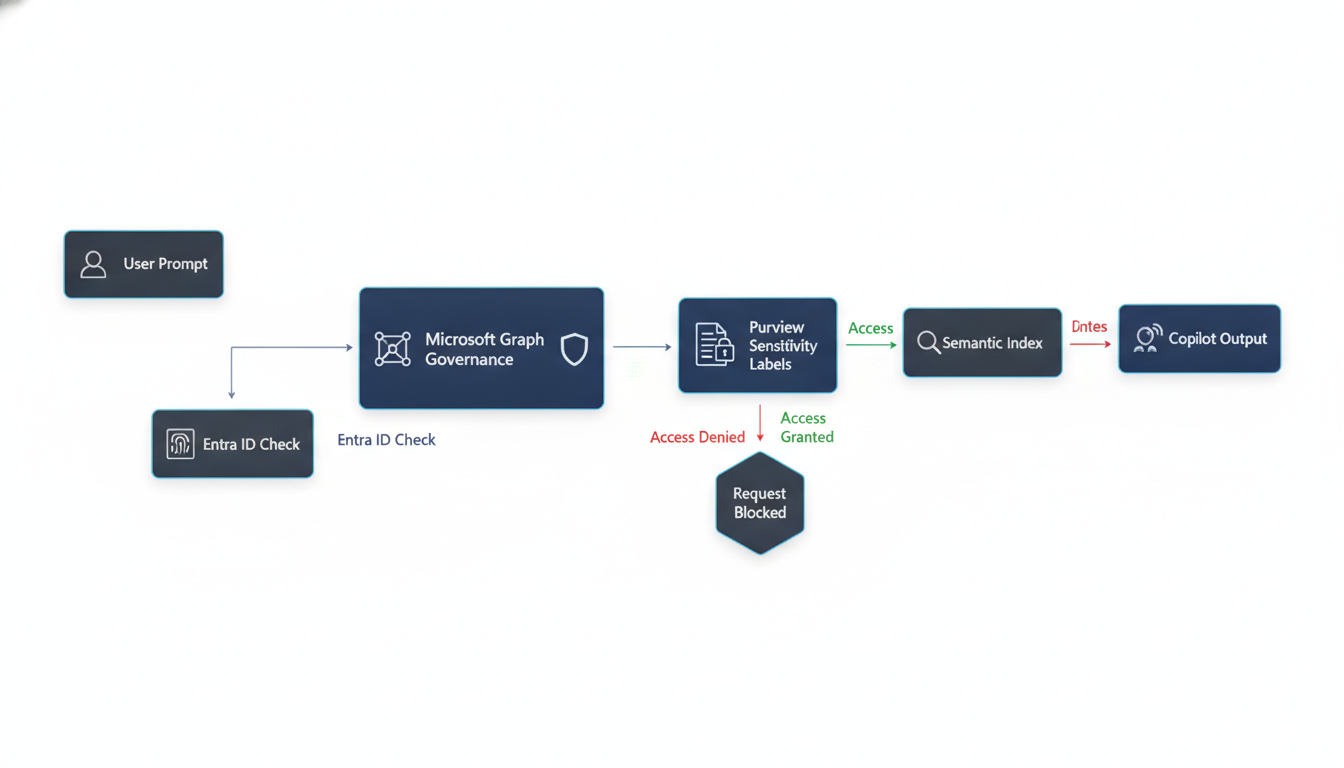
If you have wide-open SharePoint sites, Copilot will find them. That HR spreadsheet with executive salaries sitting in an orphaned Teams channel? Copilot will surface it the second a curious employee prompts it with “salary trends.” Before you authorize a single Copilot license, you need Microsoft Purview running at full throttle.
Implement exact data match (EDM) and sensitivity labels across your tenant. Use Data Loss Prevention (DLP) policies to lock down PII and financial records. If your Entra ID groups are a mess, Copilot will weaponize your lack of governance on day one.
Clean up your permissions. Trust, but verify.
Formulating Your Deployment Blueprint
Forget the big bang rollout. It never works.
You need a phased deployment blueprint anchored in actual business units. Start with a pilot group of 50 to 100 users. Pick a mix of tech-savvy champions and chronic skeptics to get real-world telemetry on adoption.
Measure success with hard metrics, not surveys.
Look at the Copilot Dashboard in Viva Insights. Are users actually saving time drafting emails in Outlook, or did usage drop off after week two? If your adoption rate dips below 40% after the first month, your enablement strategy is failing.
Build a continuous feedback loop. Train your users on prompt engineering. Technology alone won’t fix broken business processes. Equip your people, lock down your data, and make Microsoft earn that $30 a month.